
Lost Your Phone? What to Do Right Now (iPhone and Android)

Losing your phone is more than an inconvenience — it holds your payments, photos, messages, accounts and often your ID. The good news: both iPhone and Android have powerful tools to locate, lock and protect a lost phone, and most honest finders want to return it. Here’s what to do, step by step.
The short answer
If you lose your phone: locate it using Find My (iPhone) or Find Hub (Android) from another device, play a sound if it’s nearby, mark it as lost to lock it and show a message with a contact number, contact your carrier if it may be stolen, change key passwords, and only erase it if recovery looks unlikely.
Step 1: Try to locate it
| iPhone | Android | |
|---|---|---|
| Service | Find My | Find Hub (formerly Find My Device) |
| Where to use | Another Apple device or icloud.com/find | Another device or the Find Hub website |
| Needs | Find My enabled on the phone | Find Hub enabled and signed in to Google |
If it shows nearby, use Play Sound — even on silent, the phone will ring.
Step 2: Lock it and show a message
Put the phone in Lost Mode (iPhone: “Mark As Lost”; Android: “Secure device”):
- Locks the phone with your passcode.
- Displays a custom message and a contact number on the lock screen.
- Suspends some payment features (on iPhone, Apple Pay cards are suspended).
Keep the message simple: “This phone is lost. Please call [number]. Thank you!” Use a friend’s or partner’s number if you don’t have access to yours.
Step 3: Retrace your steps
Think about the last time you used it. Call places you visited — cafés, shops, gyms — and check with taxis, rideshares and transport lost property. Rideshare apps have dedicated lost-item processes in the app.
Step 4: Contact your carrier if needed
If you suspect theft or can’t find it quickly, ask your mobile carrier to suspend the SIM to prevent calls and protect accounts that rely on SMS codes. They can also help with a replacement SIM.
TagTrek turns any item into a smart QR tag. If it's lost, whoever finds it can reach you in seconds — no app, no account, no GPS tracking.


Step 5: Protect your accounts
- Change passwords for email, banking and social media — especially if your phone lacked a strong passcode.
- Sign out of sessions on the lost device from your account settings where possible.
- Watch for suspicious activity on bank accounts.
- Warn contacts about possible scam messages if you think the phone was stolen.
Step 6: Report it
If stolen, report it to the police and get a reference number — useful for insurance and carrier blocks. Many carriers can block stolen devices from their network using the IMEI number (find it on the box or your carrier account).
Step 7: Erase — only as a last resort
Erasing protects your data but can stop you from locating the phone afterwards. Do it if recovery looks unlikely or the data is sensitive.
How to make a lost phone easier to return
Many phones are found by honest people who simply can’t unlock them to find the owner. Before you lose yours:
- Set up an emergency contact / Medical ID visible from the lock screen.
- Enable Find My / Find Hub and keep it on.
- Use a lock-screen message or wallpaper with an alternative contact method.
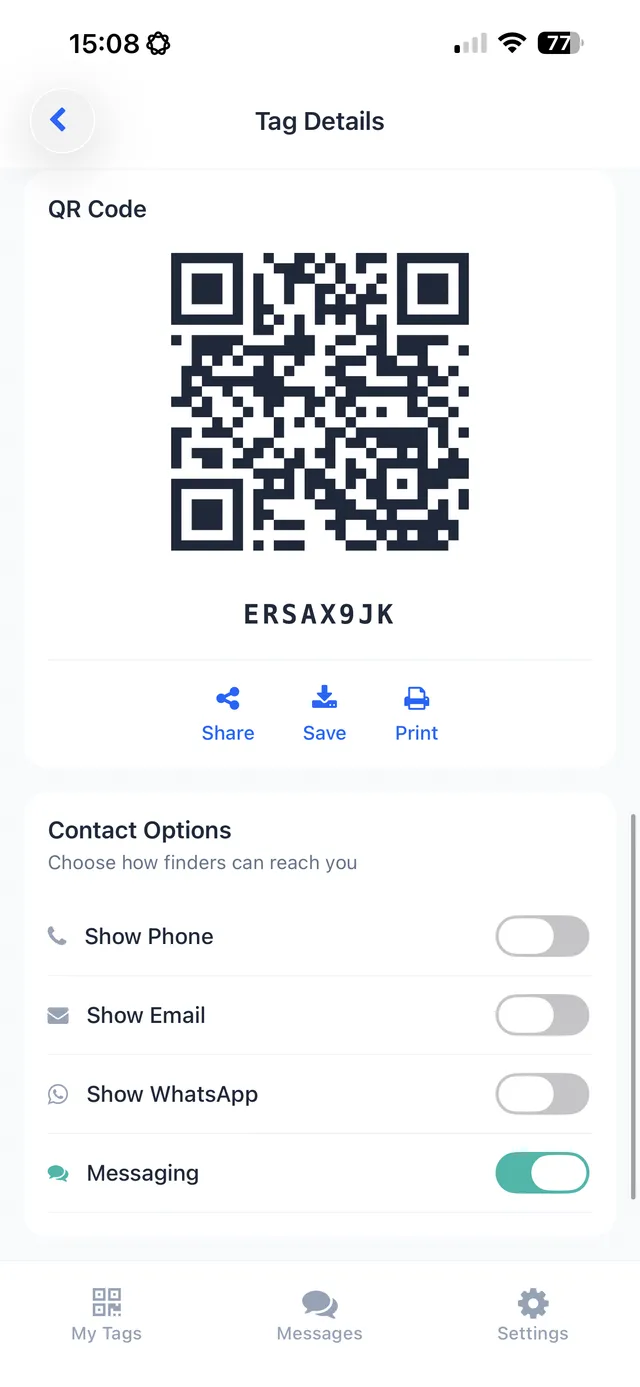
- Add a QR contact sticker to your case — a finder can scan it with their own phone and reach you, even if your phone is locked or dead.
Found someone else’s phone?
Don’t try to unlock it. Look for a lock-screen message or emergency contact, answer if the owner calls, or hand it to the venue or police.
The bottom line
If you lose your phone, locate it, play a sound, put it in lost mode with a contact message, then protect your accounts and SIM. Erase only as a last resort. And set things up in advance so an honest finder can reach you, even when your phone is locked.
TagTrek adds a finder-friendly layer to your phone case: print a small QR sticker for the back of the case, and anyone who finds it can scan it with their own phone — no app, no account — and message you through anonymous chat, email or another channel you choose. It works even when your phone’s battery is dead.
Frequently asked questions
What should I do first if I lose my phone?
Use Find My (iPhone) or Google's Find Hub (Android) from another device to locate it, play a sound, and lock it with a message and a contact number on the lock screen.
Should I erase my lost phone?
Only if you believe it won't be recovered or contains sensitive data at risk. Erasing may stop you from locating it afterwards, so try locating and locking first.
Should I tell my mobile carrier?
Yes, if you think the phone is stolen or won't be found quickly. They can suspend your SIM to prevent misuse and help you get a replacement.
How can someone return my phone if it's locked?
Show a message and contact number on the lock screen using lost mode, and set up an emergency contact or medical ID that's visible without unlocking.
Never lose your bag again
TagTrek turns any item into a smart QR tag. If it's lost, whoever finds it can reach you in seconds — no app, no account, no GPS tracking.