
Lost Your Laptop? What to Do Right Now to Find It and Protect Your Data
A laptop holds your work, photos, passwords and often access to everything else. Leaving it at a café, on a train or at airport security is stressful — but acting quickly can help you get it back and keep your data safe. Here’s what to do if you’ve lost your laptop.
The short answer
If you lose your laptop: try to locate and lock it remotely (Find My on Mac, Find My Device on Windows), retrace your steps and call places you visited, tell your IT team if it’s a work device, change key passwords, and report it to the police if stolen. Erase it remotely only if recovery looks unlikely. Next time, add a contact tag and a lock-screen message.
Step 1: Try to locate it
| Laptop | Tool | Needs |
|---|---|---|
| Mac | Find My (on iPhone, iPad or icloud.com/find) | Find My Mac enabled; internet connection |
| Windows | Find My Device (account.microsoft.com/devices) | Location settings enabled; Microsoft account |
| Chromebook | Your Google account’s device list | Signed in with Google |
Location may only update when the laptop is online.
Step 2: Lock it and show a message
- Mac: Mark as Lost to lock it and display a message with a contact number.
- Windows: Use Find My Device to lock it and show a message.
Keep the message simple: “This laptop is lost. Please call [number].”
Step 3: Retrace your steps
Call cafés, co-working spaces, hotels, transport operators and airports. Left something on a train? and left something in an Uber or taxi? cover those processes.
TagTrek turns any item into a smart QR tag. If it's lost, whoever finds it can reach you in seconds — no app, no account, no GPS tracking.


Step 4: Protect your data and accounts
- Tell your IT team straight away if it’s a work laptop — they may need to revoke access.
- Change passwords for email, cloud storage, banking and password managers.
- Sign out of sessions on the lost device from your account security settings.
- Turn on two-factor authentication if you haven’t already.
- Watch for suspicious activity in your accounts.
If your laptop had full-disk encryption (FileVault on Mac, BitLocker or device encryption on Windows) and a strong password, your files are much better protected.
Step 5: Report it
If you believe it was stolen, report it to the police and get a reference. Note the serial number (on the box, receipt or your account’s device list) — it helps with police reports and insurance claims.
Step 6: Erase remotely — last resort
Erasing protects your data but usually stops you from locating the laptop afterwards. Do it if recovery looks unlikely or the data is sensitive.
Before it happens: a quick setup
| Setup | Why |
|---|---|
| Turn on Find My / Find My Device | Locate and lock it remotely |
| Turn on disk encryption | Protects your files |
| Use a strong password | Prevents easy access |
| Back up regularly | You won’t lose your work |
| Note the serial number | Helps police and insurers |
| Add a contact tag to the laptop or sleeve | Helps an honest finder return it |
Where laptops get left behind
Airport security trays, café tables, train racks, taxis, meeting rooms and hotel rooms. A quick “laptop, charger, phone” check before you leave anywhere prevents most losses.
The bottom line
If you lose your laptop, try to locate and lock it, retrace your steps, alert your IT team if it’s a work device, secure your accounts and report theft. Erase it only as a last resort. And set things up now so a finder can return it.
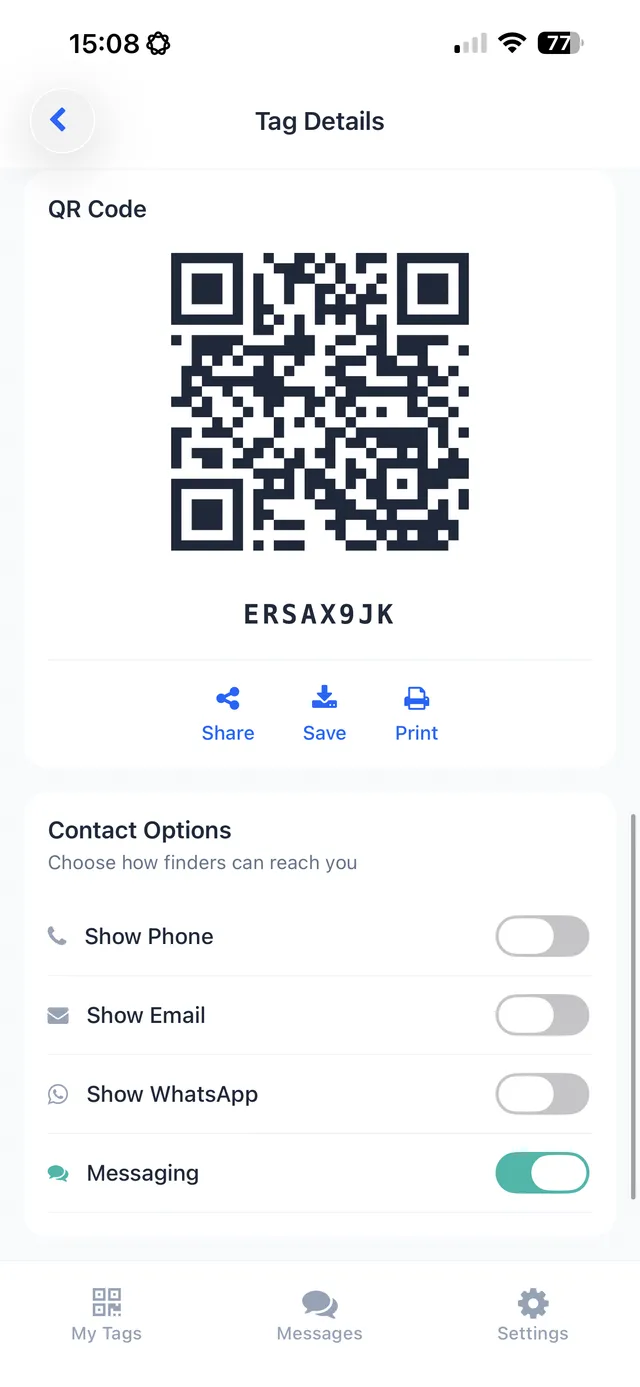
A TagTrek QR sticker on your laptop lid or sleeve gives an honest finder a way to reach you without needing to unlock anything: they scan it with their own phone — no app — and contact you through the channels you choose. You’ll get a scan alert with the city where it was scanned.
Frequently asked questions
What should I do first if I lose my laptop?
Try to locate and lock it using Find My (Mac) or Find My Device (Windows) from another device, retrace your steps, and contact places you visited. If it's a work laptop, tell your IT team immediately.
How do I protect my data if my laptop is lost?
Lock the device remotely, change passwords for important accounts, sign out of sessions, and enable two-factor authentication. Erase it remotely if recovery is unlikely.
Should I report a lost laptop to the police?
If you think it was stolen, yes. A police report can help with insurance and may help if the laptop is recovered.
How can someone return my laptop if they find it?
A contact tag or sticker on the laptop or its case, and a lock-screen message with a contact number, give an honest finder a way to reach you.
Never lose your bag again
TagTrek turns any item into a smart QR tag. If it's lost, whoever finds it can reach you in seconds — no app, no account, no GPS tracking.