
Unwanted Tracker Alerts: How to Check for AirTags and Other Trackers (and What to Do)
Bluetooth trackers are brilliant for finding lost keys and delayed suitcases. But the same technology can be misused to follow people without their knowledge. That’s why iPhone and Android now include unwanted tracker alerts. Here’s how they work, how to check for trackers and what to do if you get an alert.
The short answer
If a Bluetooth tracker that’s separated from its owner appears to be moving with you, your phone may show an “unknown tracker” alert. You can usually play a sound to find it and see details about it. If you feel unsafe, contact the police. Android users can also scan manually for nearby unknown trackers. Since 2024, alerts work across platforms for compatible trackers from different manufacturers.
How unwanted tracker alerts work
Trackers regularly broadcast a Bluetooth signal. Your phone watches for trackers that:
- Aren’t near their owner’s device, and
- Seem to be travelling with you over time.
When that happens, your phone alerts you. Apple and Google worked together on an industry specification so iPhones and Android phones can detect compatible trackers from multiple manufacturers — not just their own.
Checking for trackers
| Phone | What to do |
|---|---|
| iPhone | Look for “Item Found Moving With You” notifications; in Find My, tap the alert to play a sound or view details. Ensure Bluetooth, Location Services and notifications are enabled |
| Android | Check for “Unknown tracker” alerts; you can also go to the Safety & emergency settings (menu names vary by manufacturer) to run a manual scan |
Also check physically: bags, coat pockets, car interiors, wheel arches and under seats.
If you get an alert
- Stay calm. Many alerts are innocent — a family member’s tracker in a shared bag, a borrowed car or item.
- Play a sound from the alert to locate it.
- View information about the tracker. Some details may help identify the owner or be useful to police.
- Take a screenshot of the alert and details.
- If you feel unsafe, contact the police. Consider keeping the tracker as evidence rather than destroying it.
- Follow your phone’s instructions to disable it if appropriate.
TagTrek turns any item into a smart QR tag. If it's lost, whoever finds it can reach you in seconds — no app, no account, no GPS tracking.


If you’re in danger
If you believe someone is tracking you to harm or control you, contact emergency services. Domestic abuse and stalking support services can also help you plan next steps safely — including whether and when to disable the tracker.
Using trackers responsibly
If you use trackers for your own items:
- Track things, not people. Never place a tracker on someone without their knowledge.
- Share with family openly if you share items like car keys.
- Expect alerts if a partner carries your tagged item — and explain.
- Remember: trackers only locate. They don’t let someone who finds your item contact you.
Tracker vs QR tag: a privacy comparison
| Bluetooth tracker | QR contact tag | |
|---|---|---|
| Location tracking | Yes | No GPS or location tracking |
| Can be misused to follow someone | Possible (alerts help protect) | No |
| Lets a finder contact the owner | No | Yes |
| Needs batteries | Yes | No |
For many everyday items, a QR tag gives a finder a way to reach you without any location tracking at all. QR tags vs AirTags and AirTag vs Tile vs SmartTag cover the trade-offs.
The bottom line
Unwanted tracker alerts are an important safety feature. If you get one, locate the tracker, record the details and contact the police if you feel unsafe. And if you use trackers yourself, use them only on your own belongings.
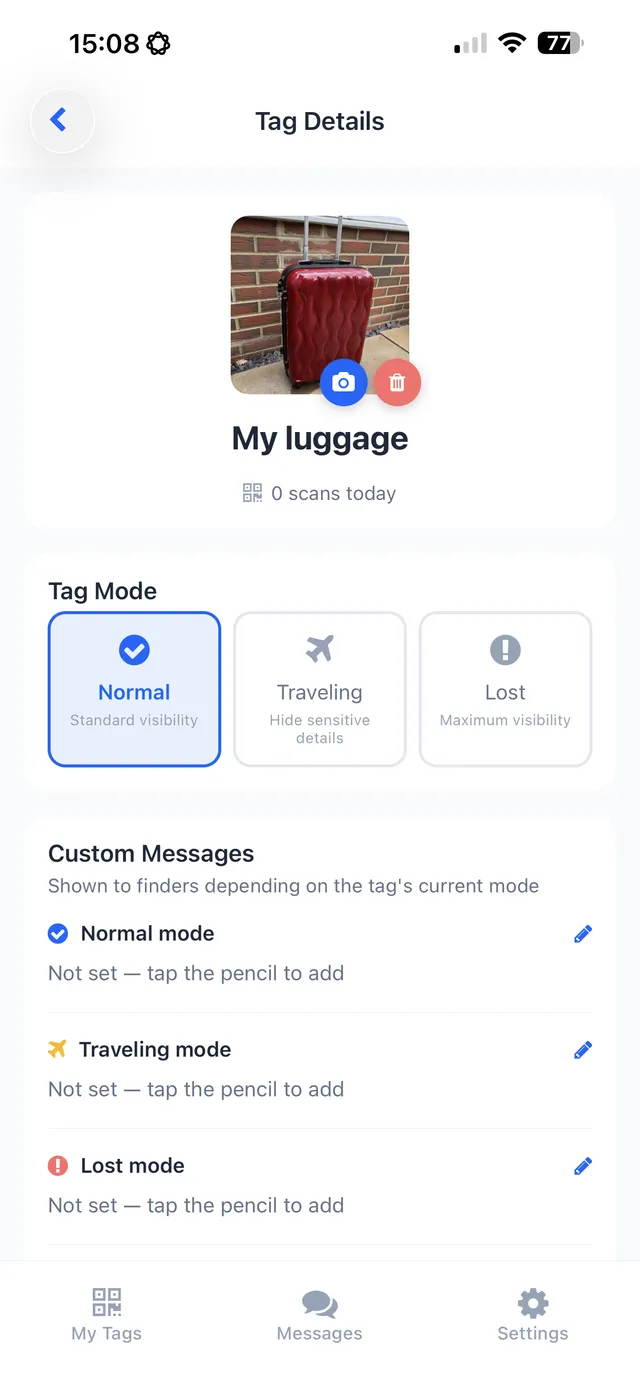
TagTrek takes a privacy-first approach: its QR tags don’t track anyone. When someone scans your tag, you get a scan alert with the city only — no GPS — scanner IP addresses are stored hashed, and a CAPTCHA protects your finder page from bots.
Frequently asked questions
How do I know if a tracker is following me?
iPhone and Android can alert you if an unknown Bluetooth tracker that's separated from its owner appears to be moving with you. Android also lets you run a manual scan.
What should I do if I find an unknown tracker?
Use your phone's alert to play a sound and view information about it. If you feel unsafe, contact the police and consider keeping the tracker as evidence. Follow your phone's instructions for disabling it.
Do tracker alerts work across iPhone and Android?
Yes. Apple and Google worked on an industry standard, and since 2024 both platforms can alert users to compatible unknown trackers from other manufacturers.
Could an alert be harmless?
Yes. Alerts can be triggered by a friend's or family member's tracker, or a borrowed item. Check the item and context before worrying, but take alerts seriously.
Never lose your bag again
TagTrek turns any item into a smart QR tag. If it's lost, whoever finds it can reach you in seconds — no app, no account, no GPS tracking.